
Running a preschool means juggling admissions, fee follow-ups, daily attendance, parent questions, staff salaries and a hundred small things in between. Most owners we meet start with registers, an Excel sheet and a few WhatsApp groups, and it works until the school grows to forty or fifty children. Then the cracks show: a missed fee instalment, a lost birth certificate, a parent asking how their child is doing and nobody has a clear answer.
Preschool management software puts all of that in one place. In this guide we explain what it is, the features that actually matter for Indian play schools, nurseries and daycares, and how SchoolBee handles each of them.
In this guide
- 1.What is preschool management software?
- 2.The features a preschool really needs
- 3.Why one connected system beats five separate tools
- 4.Built for teachers with 20+ children in a class
- 5.Keeping parents in the loop, without more WhatsApp
- 6.How to choose: 7 questions to ask before you buy
- 7.Getting started with SchoolBee
- 8.FAQs
What is preschool management software?
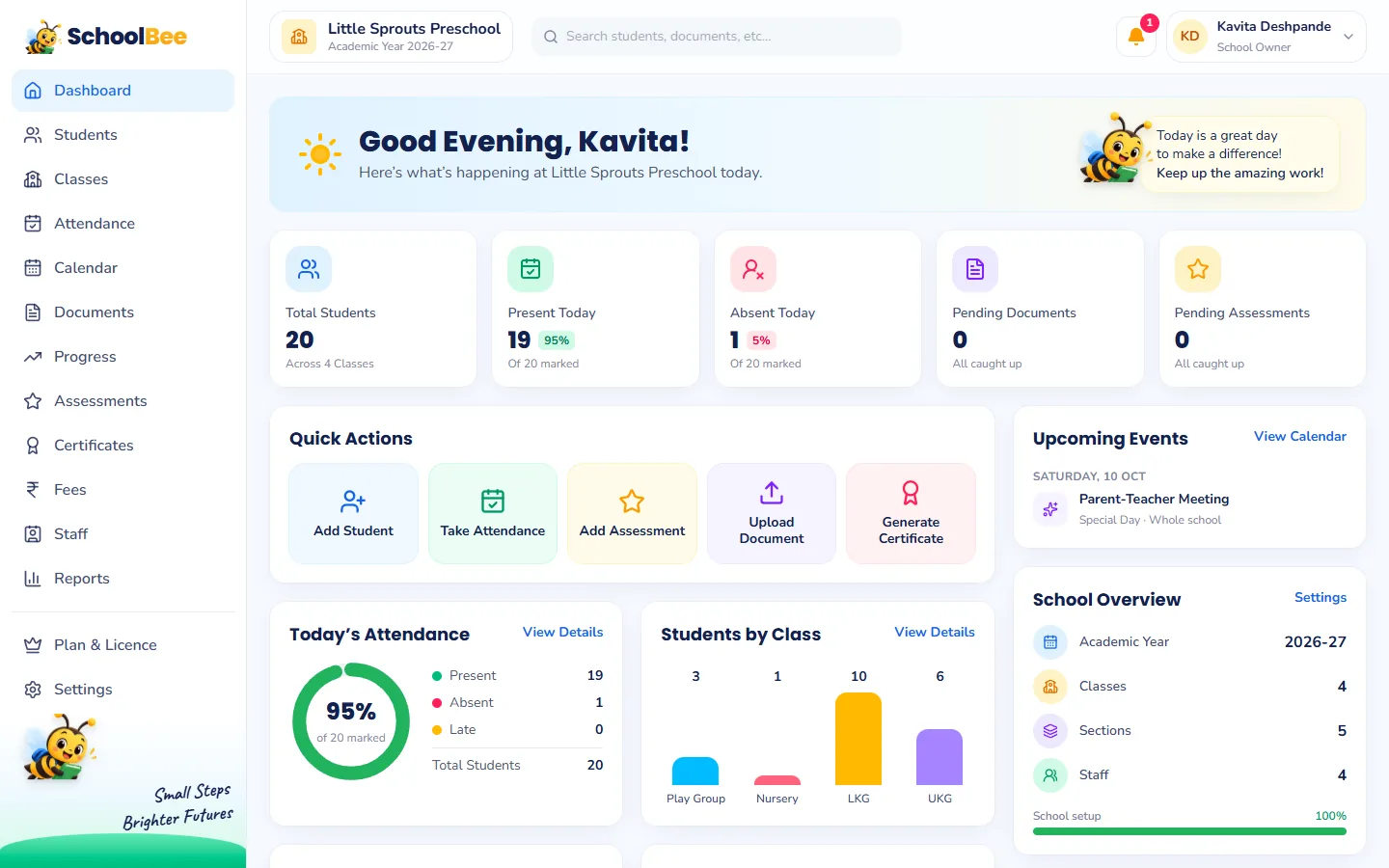
It is a single online system where the school owner, admin staff and teachers record and look up everything about the school: students and parents, classes and sections, fees and payments, attendance, documents, staff, salaries, assessments and certificates. Because everything is connected, information typed once is reused everywhere. A child enrolled in LKG automatically appears in the LKG attendance register, the fee list, the progress sheet and the certificate generator.
A general "school ERP" is usually built for large K-12 schools with timetables, exams and hostels. A preschool needs something simpler: quick daily routines for teachers, gentle age-appropriate progress tracking and very little training. That is the gap SchoolBee was built for.
The features a preschool really needs
Here is a practical checklist. If a product does not cover these well, your team will slip back to paper within a term.
| Area | What it should do | In SchoolBee |
|---|---|---|
| Students | Enroll with parent details, photo and documents; search and export | Student enrollment in 6 guided steps, Excel import and export |
| Fees | Fee structure per class, instalments, concessions, receipts, dues | Fee management with overdue tracking and invoices |
| Attendance | Fast daily register, history, monthly percentages | Attendance in a few taps, on phone or laptop |
| Progress | Simple ratings and notes, parent-friendly reports | AI progress reports that are age-aware and gentle |
| Staff | Profiles, roles, logins, class teachers | Staff management with permissions |
| Payroll | Monthly salary, payslips, payment records | Staff payroll with approve-and-pay flow |
| Documents | Birth certificate, Aadhaar, medical records | Digital document checklist with verification |
| Certificates | Bonafide, leaving and character certificates | Certificate generator with serial numbers |
| Parents | A place to see progress and reports | Parent portal with mobile number login |
| Reports | Ready reports with export | 25+ reports with Excel and PDF |
Why one connected system beats five separate tools
Many schools patch together a fee app, a Google Sheet for attendance, a folder of scanned documents and a WhatsApp group for parents. Each tool is fine on its own, but nothing talks to anything else. You end up typing the same child’s name and class in five places, and every correction has to be made five times.
In a connected system, the student record is the single source of truth. Move a child from Nursery to LKG and their fee structure, attendance register and progress sheet follow automatically. And because the data sits together, the dashboard and reports can show the whole school at a glance: who is absent today, whose fees are overdue and whose documents are missing, without stitching files together.
Built for teachers with 20+ children in a class
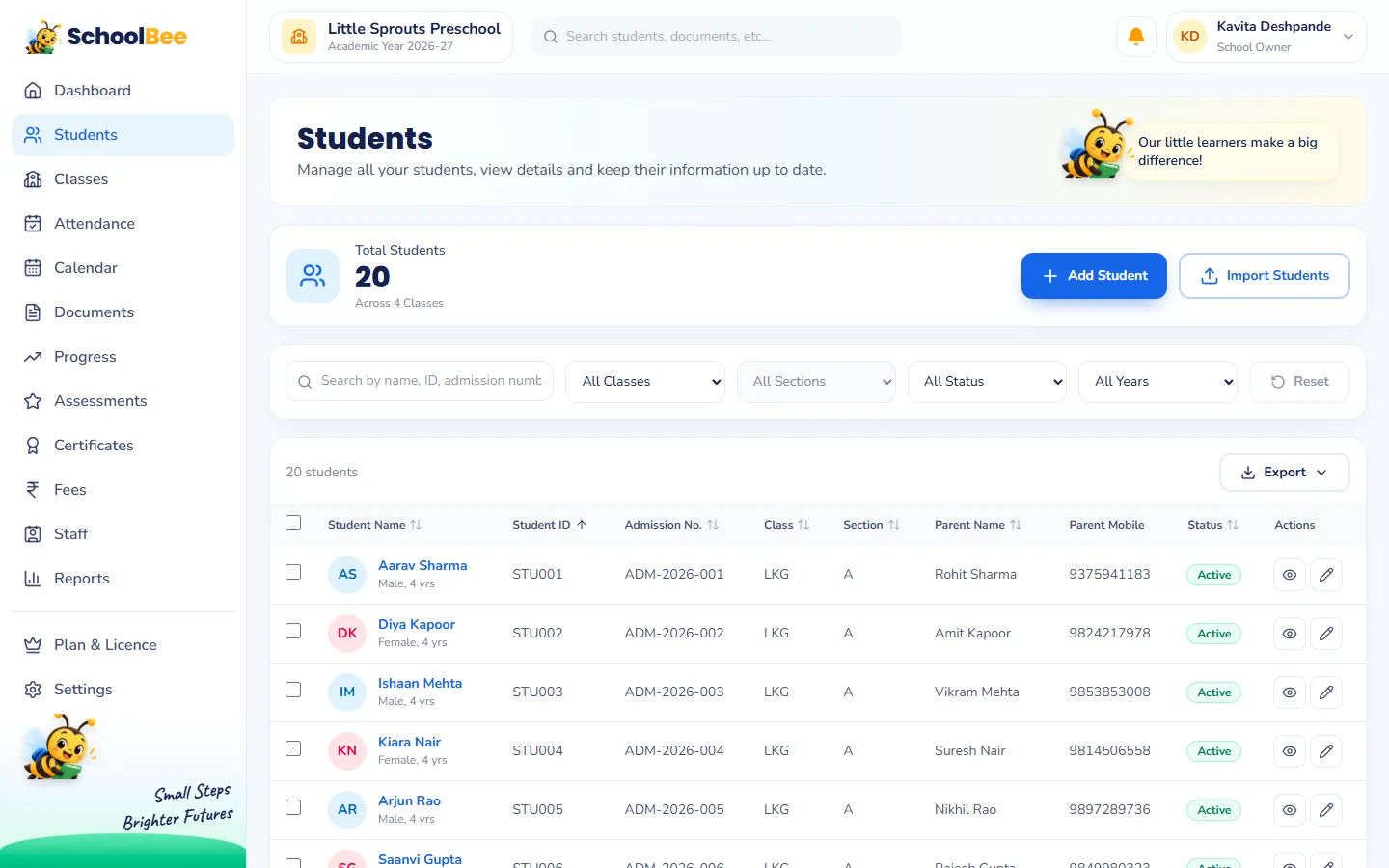
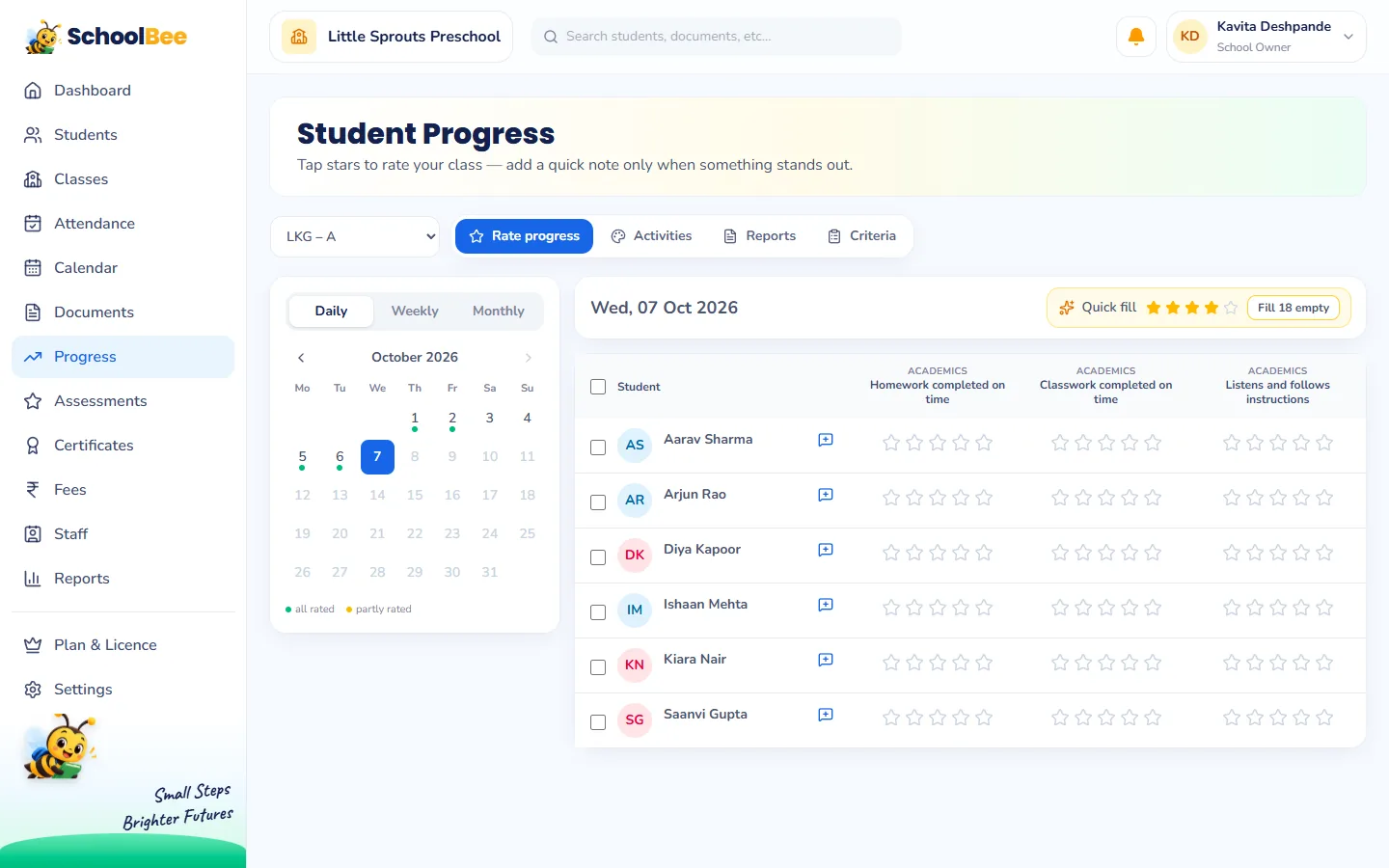
Software that is slow for teachers simply does not get used. SchoolBee keeps every daily task short: for attendance the teacher taps Mark All Present and then changes only the absent and late children; progress ratings are star taps with optional notes; activity feedback has quick-fill buttons. Typing is always optional.
Teachers see only what they need. A class teacher marks attendance and rates progress for their own section, while the owner controls who can see fees, payroll and staff records through simple permissions.
Keeping parents in the loop, without more WhatsApp
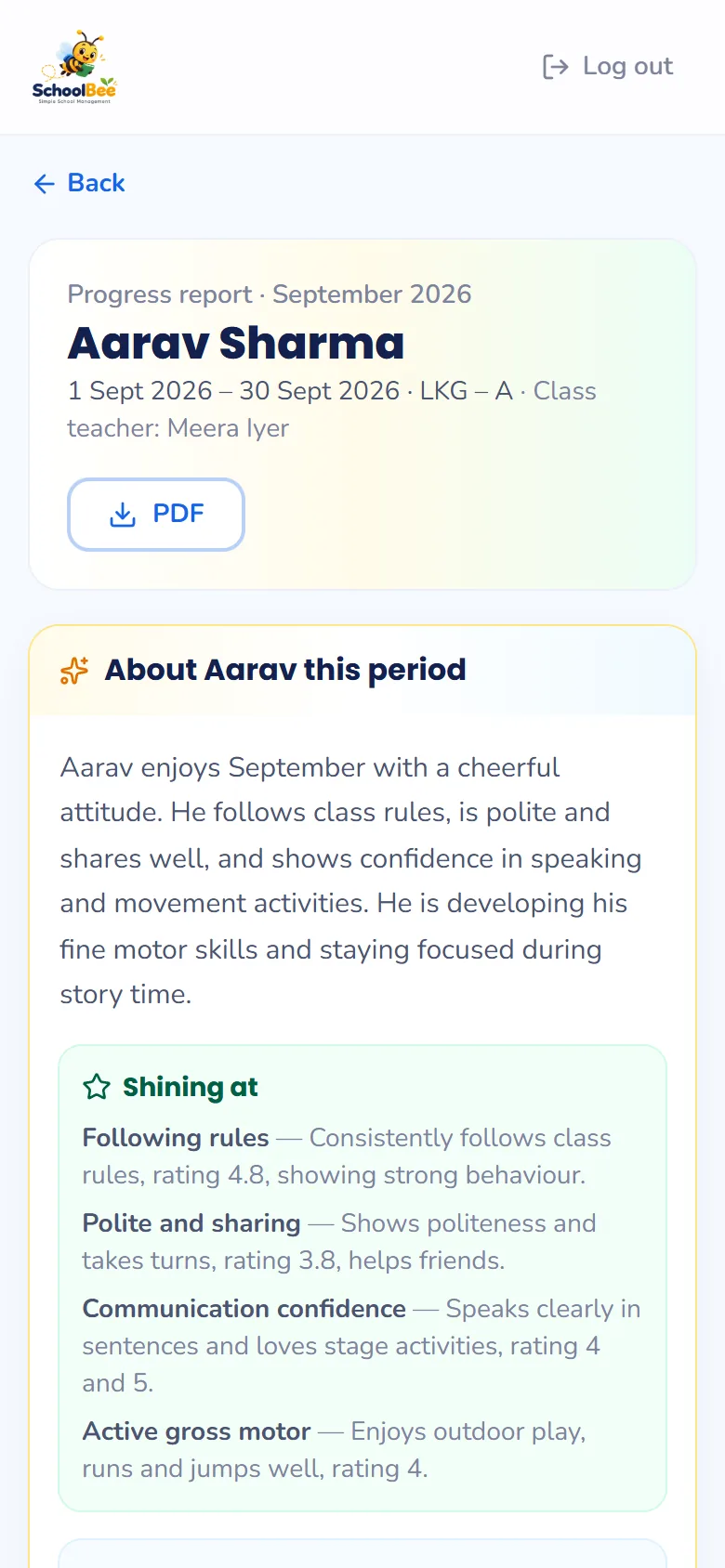
Parents want to know how their child is doing. SchoolBee gives them a parent login with their mobile number. They see published progress reports, star summaries, teacher notes, activities and upcoming school events, and they can download the report card as a PDF.
When the school uses AI insights, parents also get a warm, age-appropriate summary of their child’s period with simple ideas to try at home. More on that in our guide to AI student progress reports.
How to choose: 7 questions to ask before you buy
- Can a teacher take attendance for 25 children in under a minute? Ask for a demo on a phone, not a laptop.
- Does it understand preschool classes? Play Group, Nursery, LKG and UKG with sections, not just Class 1 to 12.
- Is fee tracking flexible? Instalments, concessions, one-off charges like Annual Day costumes, and clear overdue lists.
- Is progress tracking age-appropriate? Preschoolers should not be graded like board exam students.
- Can you control who sees what? Teachers should not see fees or salaries unless you allow it.
- Can you get your data out? Look for Excel export on students, fees and attendance.
- Is there a real free trial? You should be able to set up your own classes and try every feature before paying.
Getting started with SchoolBee
Setting up takes about ten minutes: add your school details, create the academic year, add classes and sections, then invite staff. Our step-by-step setup guide walks through each screen. After that you can import students from Excel or add them one by one.
SchoolBee works in any modern browser on a laptop, tablet or phone, so there is nothing to install. Your data is stored on secure cloud infrastructure with regular backups.
Frequently asked questions
What is the best software for managing a preschool in India?
Look for software made for preschools rather than large K-12 schools: quick attendance, flexible fees with instalments and concessions, age-appropriate progress tracking and a parent portal. SchoolBee is built for exactly this and has a free trial so you can test it with your own classes.
Is SchoolBee suitable for small play schools and daycares?
Yes. SchoolBee is designed for preschools, play schools, nurseries and daycares of all sizes, from one classroom to several sections per class.
Do teachers need training to use it?
Very little. Daily tasks like attendance and progress ratings are designed as quick taps, and every screen explains what to do next.
Can I use SchoolBee on my phone?
Yes. SchoolBee works in the browser on phones, tablets and computers. There is nothing to install.
Can I try it before paying?
Yes. Every new school starts with a free trial that includes all features. When you are ready, you can choose a plan and pay online by UPI, card or net banking.