
A preschool team is more than its teachers. There are shadow teachers, nannies and helpers, an office admin, an accountant and often a van driver. Their records usually live in a cupboard file: the appointment letter in one place, the Aadhaar copy in another, salary details in the owner’s head.
The Staff module in SchoolBee gives every team member a proper record and lets you decide, person by person, who can log in and what they can do.
In this guide
One staff list for the whole team
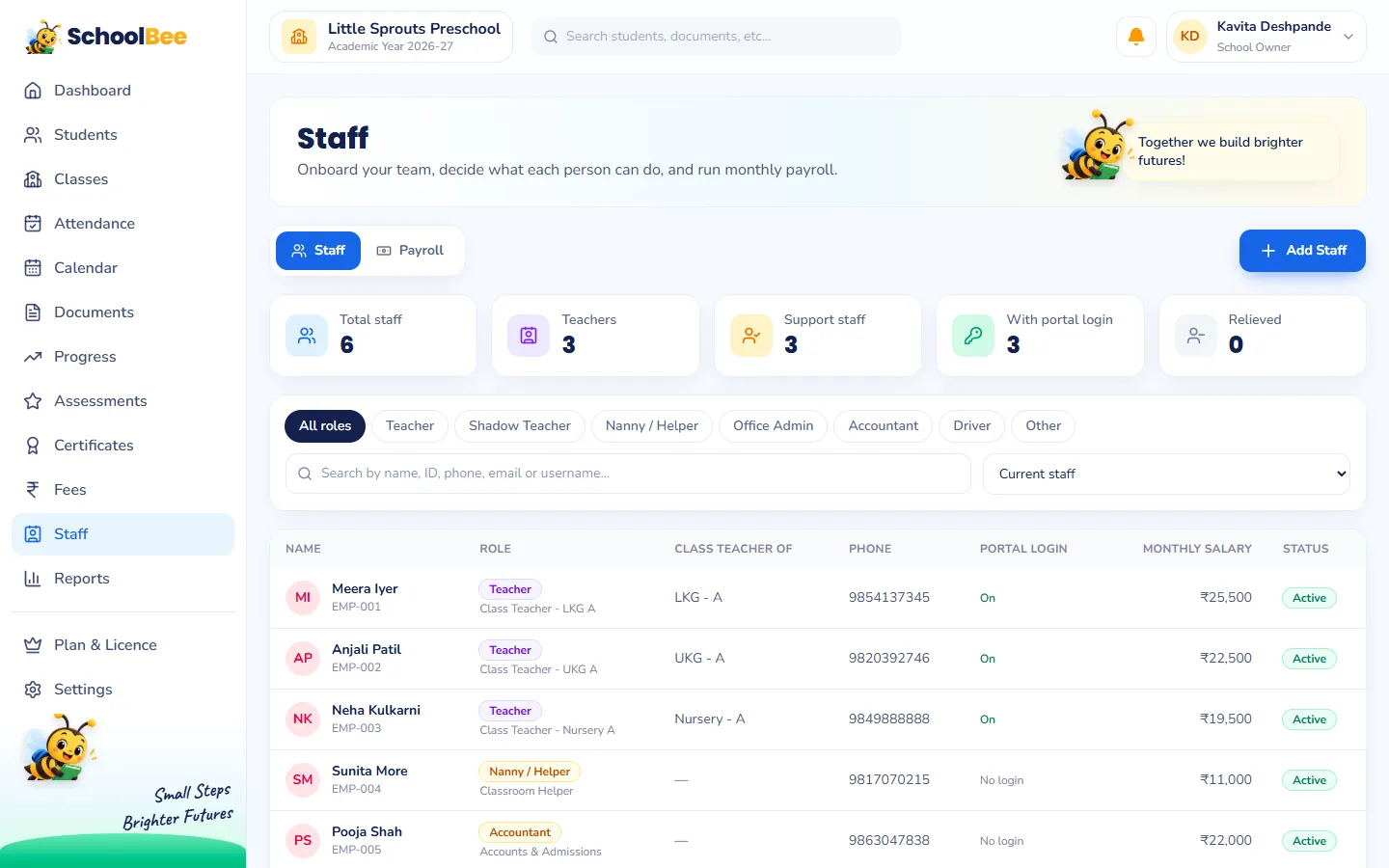
Add each person with their staff type (Teacher, Shadow Teacher, Nanny / Helper, Office Admin, Accountant, Driver or Other), designation, contact details, joining date, qualification and experience. The Staff page shows everyone with role, classes, login status and monthly salary, and you can filter by type or search by name.
A complete record for every staff member
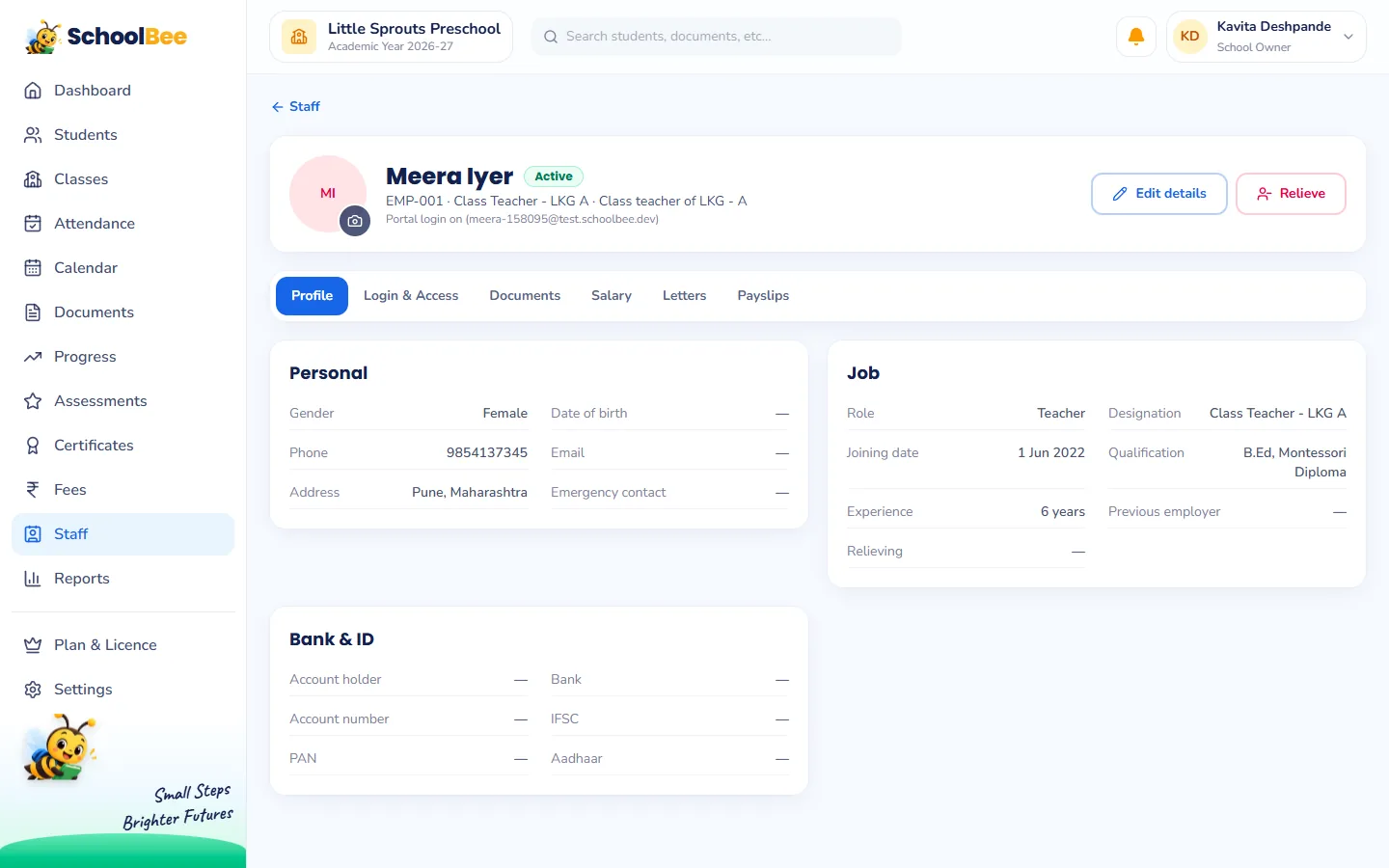
Each staff profile has tabs for everything HR-related:
- Profile: personal details, job details, emergency contact, bank details and IDs.
- Login & Access: whether they can sign in, and what they can do.
- Documents: ID proof, PAN, police verification and other papers, with a report of what is missing.
- Salary: monthly earnings and deductions, used by payroll.
- Letters: appointment and experience letters generated from templates.
- Payslips: approved monthly salary slips.
Logins only for the people who need them
Not everyone needs to sign in. A nanny or a driver can have a full record, salary and letters, with no login at all. Teachers and office staff get their own email and password, and the owner can turn a login off at any time, for example when someone leaves.
Each staff member can also open their own record, download their issued letters and see their approved payslips, without asking the office.
Permissions: each person sees only what they need
For every login you choose exactly what that person can do. A few examples of the permissions available:
| Area | Permission |
|---|---|
| Students | View students of their own class / view all students / add, edit and import students |
| Attendance | Take attendance for their own class / for every class |
| Documents | Upload student documents / verify and reject them |
| Assessments | Enter results for their own class / set up assessments and publish results |
| Progress | Rate their own class / rate any class and set the criteria |
| Certificates | Generate and cancel certificates |
| Fees | View fees / record payments and receipts / manage structures and concessions |
| Settings | Change school settings |
Assigning class teachers
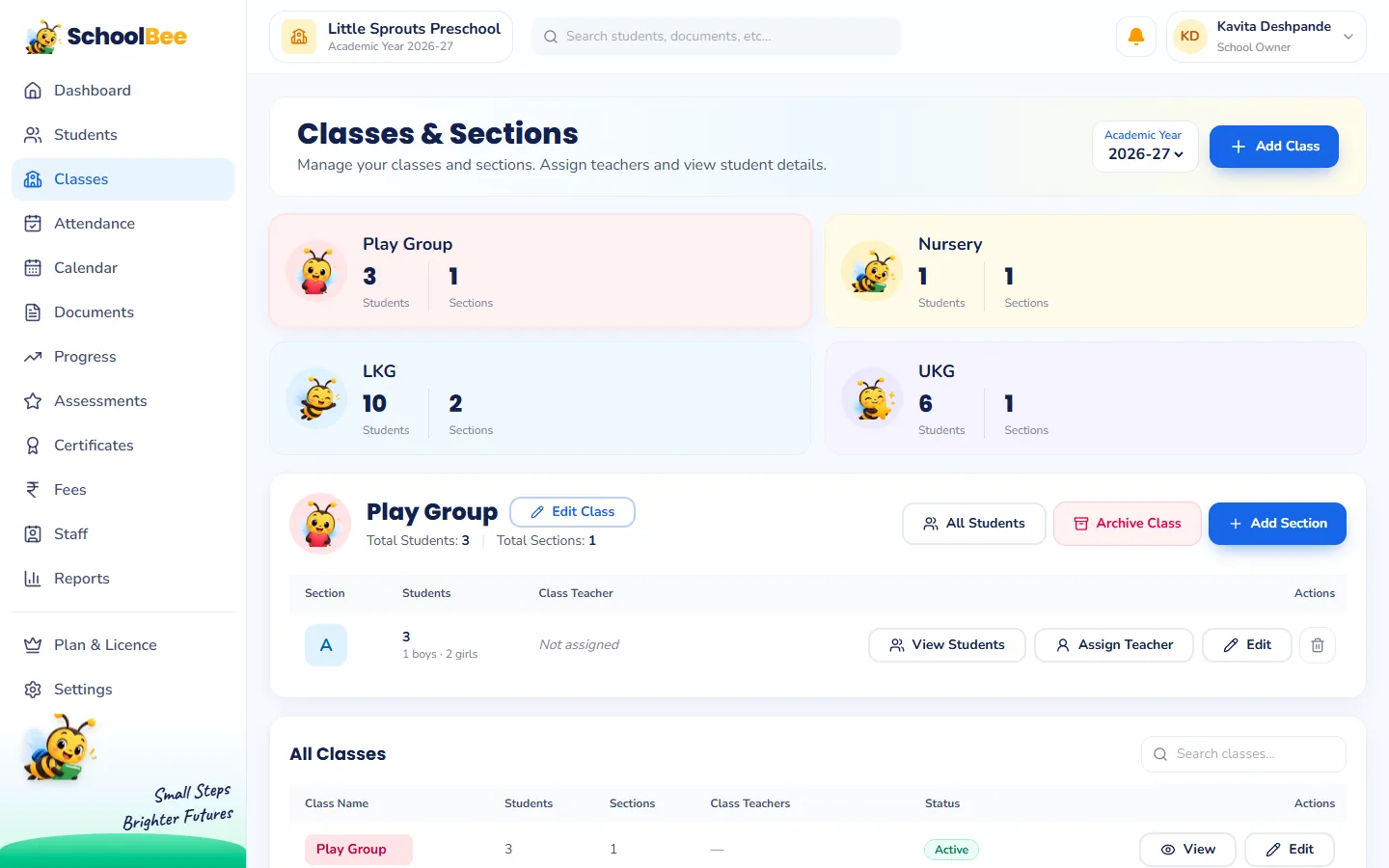
Assign a class teacher to each section, either from the teacher’s record or from the Classes page. The class teacher then sees that section in attendance, progress and assessments, and their name and signature appear on the section’s progress report cards.
Birthdays, relieving and records that stay
Staff birthdays appear on the school calendar for the whole team. When someone leaves, relieve them from their profile: their login is closed but their history, documents, letters and payslips remain for your records. The Staff directory and Staff documents missing reports can be exported to Excel any time.
Frequently asked questions
Can I add staff who do not need to log in?
Yes. Helpers, nannies and drivers can have a full staff record, salary, documents and letters without a login.
Can teachers see fees and salaries?
Only if you allow it. Fees, payroll and staff records are controlled by permissions and are owner-only by default.
Can a teacher be class teacher of more than one section?
Yes. Assign as many sections as needed; the teacher sees all of them in attendance, progress and assessments.
Can I generate appointment and experience letters?
Yes. Generate them from templates in the staff member’s Letters tab; the staff member can download them from their own record.
Is there a limit on staff logins?
The number of staff logins depends on your plan. Staff without a login are not counted.